So February was a bit of a step back for me, but it wasn’t all bad.
I managed to avoid burnout, which I definitely would have felt as I write this if I had tried to replicate my three-package launch and a completely new major version of another package, as I did in January.
I took a bit of a break in the middle of the month, and I feel like I’m ending it strong and hopefully setting myself up for a great March.
So here’s what I worked on in February.
ArtisanPack UI
As I alluded to in the introduction, development of the ArtisanPack UI Packages was a bit slow this month, after a blistering January, primarily to avoid burnout.
I know the risk of trying to do much in a short period of time, and I could feel myself getting a bit burned out after last month.
So I took things a little slower this month, but as you’ll see, I still made good progress.
Also, I’ve started working on a plan to maintain better and manage all the packages so that things are sustainable, especially as more packages are created and, hopefully, more people use them.
Visual Editor
The biggest project in ArtisanPack UI is the visual editor.
I can’t tell you how many times I’ve started, stopped, and started again on creating a visual editor over the past year or so. But I think I’ve finally found the formula.
This visual editor will be similar to the WordPress block and site editors, but with user experience, accessibility, responsive controls, animation support, and more in mind from the start.
It’s built with Alpine.js and Livewire, making it easier for developers to work with and extend, especially when creating blocks.
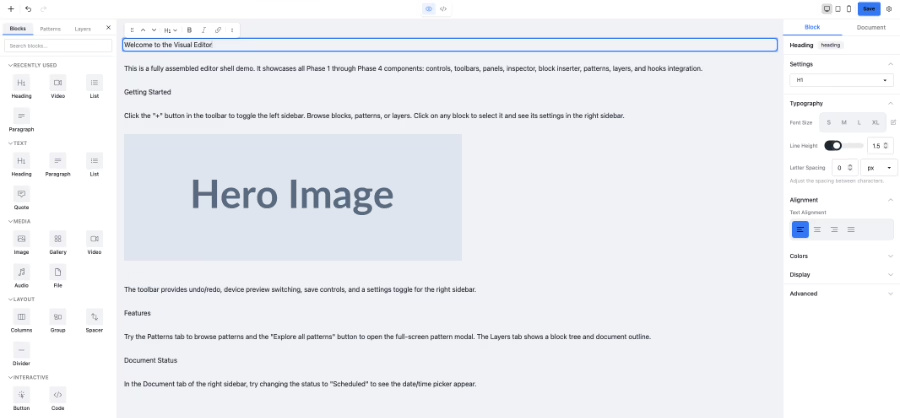
There’s still a way to go with polishing it up and testing it. Plus, I still need to work on the extensive documentation that the package will need. I’m targeting a late-March release for version 1.0.
And once I get this off my plate, the door is wide open for other ArtisanPack UI packages, Keystone CMS, and Digital Shopfront CMS.
Dashboards
Another ArtisanPack UI related item I’ve been working on is an array of pre-built dashboards.
These would be a diverse set of dashboards with different purposes, fonts, colors, and more, to help developers jump-start app and website development with ArtisanPack UI right from the start.
The dashboards will include ones for SaaS apps, ecommerce, small businesses, CRMs, and more. And they will be premium dashboards at a cost to be determined.
I’m working on this as I have time, so I don’t exactly have a firm timeline for when these will be available.
Hangar
A surprise new project is Hangar.
This is actually a desktop app that’s essentially a terminal window organizer, written in Rust with Tauri.
The idea for the app came from listening to Aaron Francis on the Mostly Technical podcast, where he talked about creating Solo. I took a look into it, and at the time, while I was impressed, I realized that it didn’t do terminal window management.
So equipped with Claude and wanting to create something completely different from Laravel apps and packages to avoid burnout, I spent about a week or so creating Hangar.
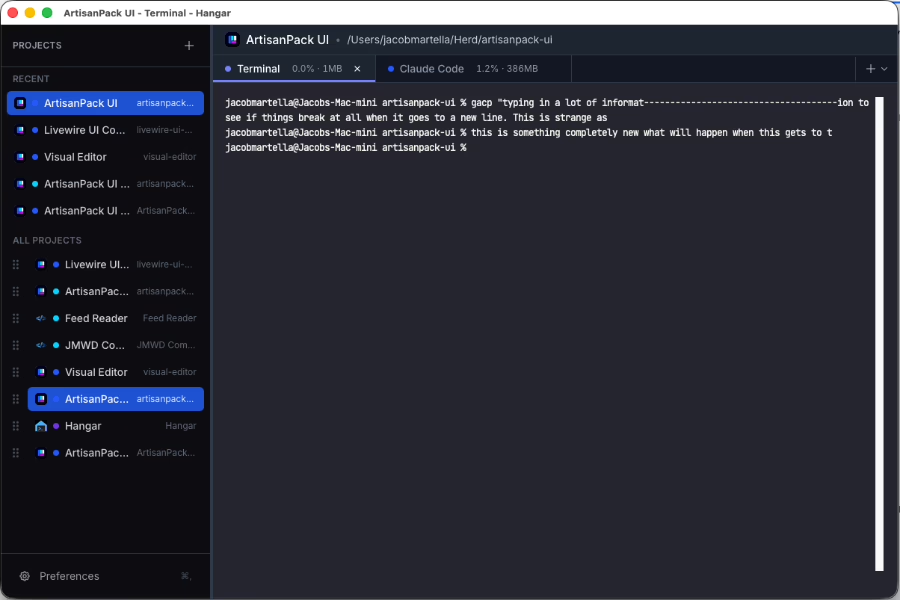
It’s still very rough around the edges, and there’s occasional weirdness that’s like playing whack-a-mole trying to fix bugs. That, combined with the fact that Solo now also handles terminal management, has me reconsidering whether to make this a commercial app. But I’m still on the fence.
Either way, it was a great learning experience that I’ll talk about later. And it’s a pretty nifty tool to have for my development tool belt.
Personal Dashboard
Finally, I’ve been trying to figure out what to do with my personal dashboard.
I’ve been caught between continuing to run it as a Laravel application that I download as a web app for my devices, or trying to make it an actual personal app.
I think I’m leaning towards making an actual app for iOS, iPadOS, and macOS, especially with the Xcode 26.3 release around the corner, which introduces support for Claude Code in the IDE.
It’s going to be an ambitious project, but it will definitely be a great learning experience.